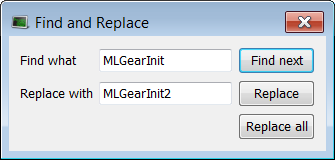
You can use any of the following methods to access this functionality:
For more details, refer to the Information and Logs toolbox.
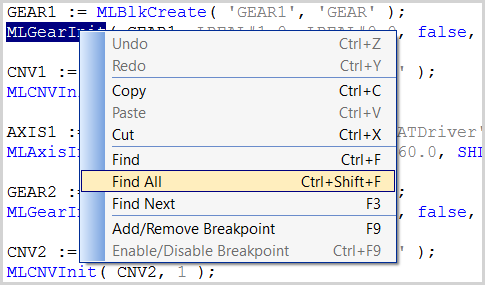
Right-click on the variable name and select the Find all command in the menu.
This command starts a search of all documents for the selected variable and displays the results in the table widget within the Information and Logs toolbox.
This opeartion selects only the instances that match the complete words (for example, a search for "MyVar" returns "MyVar" but not "MyVar1”).
It is possible to perform a search and replace from a PLC"Programmable Logic Controller" A Programmable Logic Controller, PLC, or Programmable Controller is a digital computer used for automation of industrial processes, such as control of machinery on factory assembly lines. Used to synchronize the flow of inputs from (physical) sensors and events with the flow of outputs to actuators and events editor (ST/IL, FBD, FFLD) by selecting the Find, Find next, and Find All commands in the contextual menu.
Figure 3-13: Find and Replace from an Editor
The Find, Replace and Replace all operations work only for variable symbol property of the Control.
|
Stay Connected with Kollmorgen       
|
Copyright © 2015 Kollmorgen™ |

|